In today’s digital world, relying on a username and password alone is no longer enough to protect your accounts — especially for businesses handling sensitive data. Multi-Factor Authentication (MFA) adds an essential layer of security, making it significantly harder for cybercriminals to gain unauthorized access.
🔐 What is Multi-Factor Authentication (MFA)?
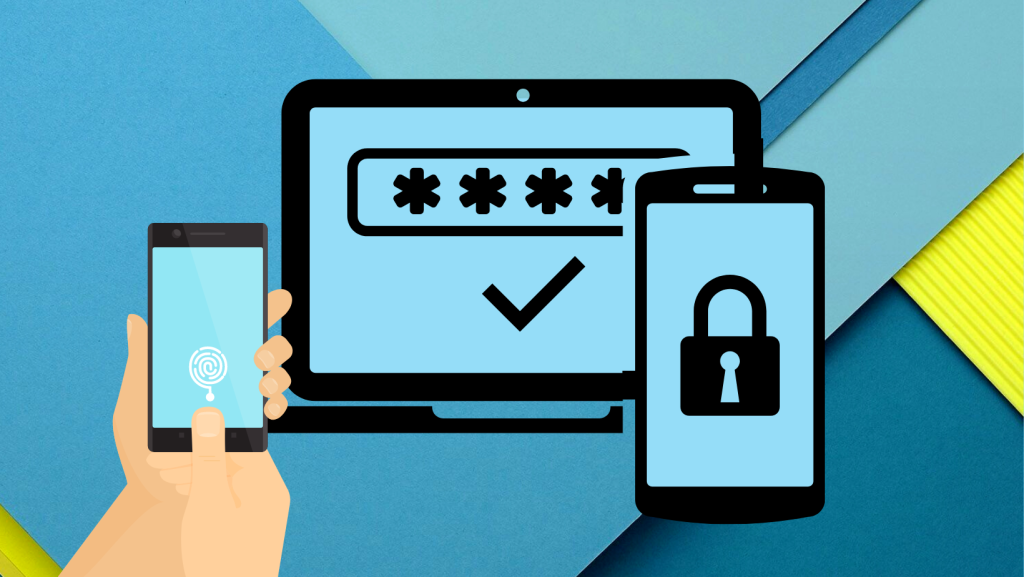
Multi-Factor Authentication (MFA) is a security process that requires users to prove their identity using two or more different verification factors before they can access an account, system, or application. Instead of entering just a password, users must also provide an extra form of authentication — such as:
- Something you know – e.g., a password or PIN
- Something you have – e.g., a mobile device, security token, or authentication app
- Something you are – e.g., fingerprint, facial recognition, or other biometrics
By combining multiple factors, MFA ensures that even if one authentication method (like a password) is compromised, a cybercriminal still cannot access the account without the additional factor.
🛡 Why MFA Matters for Businesses
Passwords alone are vulnerable. They can be stolen through phishing attacks, guessed through brute-force techniques, or leaked in data breaches. MFA addresses these risks directly by making accounts exponentially harder to breach.
Here’s why enabling MFA is crucial:
✔️ 1. Stronger Protection Against Unauthorized Access
Even if an attacker obtains a password, they still can’t get into the account without the second (or third) verification factor. This dramatically reduces the chances of account takeovers and cyberattacks.
✔️ 2. Better Defense Against Phishing and Credential Theft
Phishing remains one of the most common ways attackers steal login credentials. With MFA, knowing the password isn’t enough — attackers would also need access to the second factor (like your phone or biometric data).
✔️ 3. Supports Remote Work and Cloud Security
Modern businesses often use cloud systems and remote access tools. MFA helps secure these environments by ensuring that only verified users can log in, no matter where they are.
✔️ 4. Helps With Regulatory Compliance
In many industries, strong authentication is required by security standards and regulations (such as PCI-DSS and GDPR). Enabling MFA helps businesses meet these compliance requirements.
✔️ 5. Builds Trust With Clients and Employees
When your systems are protected with MFA, your customers and team members can feel more confident that sensitive data is being safeguarded — enhancing credibility and trust.
📈 How MFA Works in Practice
A typical MFA login process looks like this:
- You enter your username and password as usual.
- A second verification step is required — for example:
- A code from an authentication app
- A text message (OTP) sent to your phone
- A fingerprint or facial recognition scan
Only after both (or more) steps are completed will access be granted.
🛠 Common Types of MFA Methods
| MFA Method | Example |
|---|---|
| One-time Password (OTP) | A code sent via SMS or generated in an authenticator app |
| Biometric Verification | Fingerprint or face scan |
| Security Tokens / Keys | Physical USB or Bluetooth devices |
| Push Notifications | Tap “Approve” on your mobile security app |
Each method adds an extra layer of identity assurance, making cyberattacks far less effective.
✅ Final Thoughts: Don’t Wait — Enable MFA Today
In a landscape where cyberattacks are both frequent and increasingly sophisticated, enabling Multi-Factor Authentication is one of the simplest and most effective security measures any business can take. It dramatically reduces risk, supports compliance, and builds stronger trust with stakeholders.
Whether you’re securing email, cloud platforms, financial systems, or employee accounts, MFA should be part of your security baseline. Even if passwords are compromised, MFA will stop attackers from getting in.